CarStream vs. Fermata Auto | The Ultimate Android Auto Video Player Comparison (2026)
Quick Answer: Both apps install via AAAD without root. Choose CarStream if you only want YouTube with the simplest possible setup. Choose Fermata Auto if you need local video files, IPTV, web browsing, or are on Android 14, 15, 16, or 17. On Android 16 and 17, CarStream no longer works, so Fermata Auto or AABrowser is the way to watch video. If you want to watch videos on Android Auto, two apps dominate the conversation: CarStream and Fermata Auto. Both install via AAAD (Android Auto Apps Downl
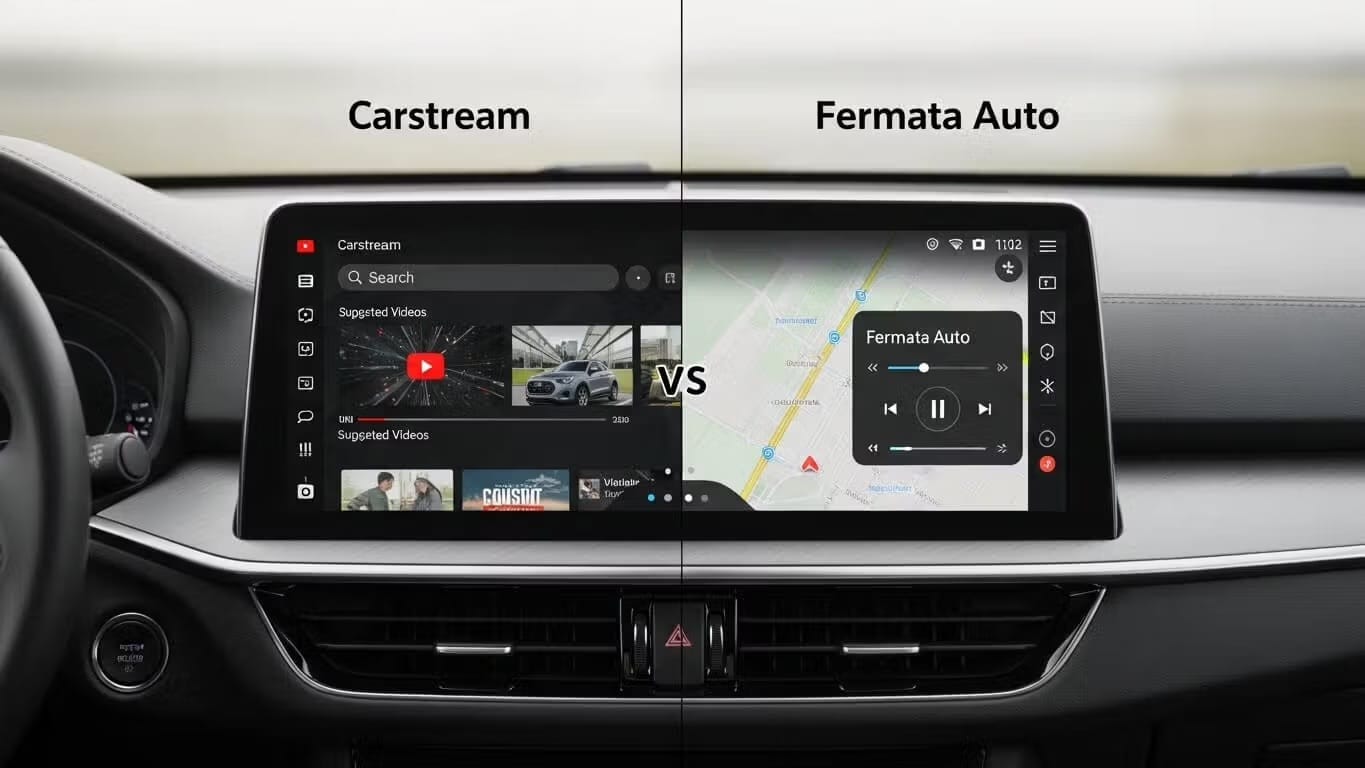
Quick Answer: Both apps install via AAAD without root. Choose CarStream if you only want YouTube with the simplest possible setup. Choose Fermata Auto if you need local video files, IPTV, web browsing, or are on Android 14, 15, 16, or 17. On Android 16 and 17, CarStream no longer works, so Fermata Auto or AABrowser is the way to watch video.
If you want to watch videos on Android Auto, two apps dominate the conversation: CarStream and Fermata Auto. Both install via AAAD (Android Auto Apps Downloader) without root, without a PC, and without enabling developer options. But they solve different problems, and choosing the wrong one wastes time.
This comparison covers features, Android 14/15/16 compatibility, and exactly which app fits your use case.
What Each App Actually Does
CarStream is a YouTube wrapper built specifically for Android Auto. It gives you a car-optimized YouTube interface: search, subscriptions, and playback directly on your head unit. Nothing else. No local files. No IPTV. No browser. Just YouTube.
Fermata Auto is a full media center. It plays local video files from your phone's storage, supports IPTV streams, includes a built-in web browser, and handles multiple video sources. It also includes Fermata Mirror for basic screen mirroring, though dedicated mirroring apps like Screen2Auto typically perform better for that specific use case.
Feature Comparison
| Feature | CarStream | Fermata Auto |
|---|---|---|
| YouTube streaming | ✅ Native, optimized | ✅ Via web browser |
| Local video files | ❌ Not supported | ✅ Full support |
| IPTV streaming | ❌ Not supported | ✅ Supported |
| Built-in browser | ❌ No | ✅ Yes |
| Screen mirroring | ❌ No | ⚠️ Basic (Fermata Mirror) |
| Interface complexity | Simple, YouTube-first | More options, steeper curve |
| Android 14/15 | ⚠️ Workaround needed | ✅ Recommended for stability |
| Android 16/17 | ❌ Not working, use AABrowser | ✅ Recommended |
| Install via AAAD | ✅ Yes | ✅ Yes |
| Root required | ❌ No | ❌ No |
Which App Should You Choose?
Choose CarStream if:
- YouTube is the only thing you want on your car screen
- You want the simplest, most focused setup
- You're on Android 13 or below
Choose Fermata Auto if:
- You want to play downloaded video files or IPTV
- You need a web browser on your head unit
- You're on Android 14, 15, or 16
- You want one app that handles multiple media types
Deep Dive: CarStream
CarStream renders YouTube's interface in a layout designed for large car screens. You get full search, your subscription feed, and playback controls optimized for touch on a head unit. The setup is about as simple as AAAD gets: install, connect, open.
The tradeoff is scope. CarStream does one thing. If you ever want to play a video file from your phone or stream IPTV, you'll need a second app.
See our full step-by-step CarStream install guide for the complete setup walkthrough.
Deep Dive: Fermata Auto
Fermata Auto is a media player that handles local files, IPTV streams, network storage, and web browsing in one app. The interface is more complex than CarStream, but the flexibility is substantially wider.
The built-in browser technically lets you access YouTube and other streaming sites, though the playback experience isn't as clean as CarStream's native YouTube implementation. Where Fermata shines is local and IPTV content, and on Android 14, 15, and 16 where it's consistently more stable than CarStream without workarounds.
See our full step-by-step Fermata Auto install guide for the complete setup walkthrough.
The Android 14, 15, and 16 Issue: What Actually Works
Both apps face tighter restrictions on Android 14 and above due to changes in how Google handles sideloaded apps on Android Auto. The experience differs significantly between the two.
CarStream on Android 14/15/16: Many users report that CarStream fails to launch or shows errors on newer Android versions without additional steps. The most reliable workaround is using an AAWireless dongle with developer settings enabled, which bypasses the restriction. Without this, CarStream is hit-or-miss on Android 14 and above.
On Android 16 and 17, CarStream no longer works reliably at all. For YouTube specifically on these versions, AABrowser is the working alternative.
Fermata Auto on Android 14/15/16: Fermata Auto is actively maintained with updates pushed after each Android release specifically to address new install policy changes. It's the recommended choice for users on Android 14, 15, and 16.
Note: The Desktop Head Unit (DHU) workaround referenced in older guides is no longer reliable. Google deprecated DHU support in 2025. The two verified methods today are the AAWireless dongle approach and reinstalling via AAAD with the latest version, which the team updates after each Android release to address new install policy changes.
How to Install Both Apps via AAAD
Both CarStream and Fermata Auto install through AAAD using the same process:
- Download AAAD from aaad-app
- Open AAAD and select your app (CarStream or Fermata Auto)
- Tap Install and follow the prompts
- Connect your phone to your car via Android Auto
- Open the app from your car's screen
Frequently Asked Questions
Can I watch Netflix on CarStream or Fermata Auto?
CarStream does not support Netflix. It is strictly for YouTube. Fermata Auto has a built-in web browser that may allow you to log into Netflix or Prime Video via their web interfaces, though playback controls may not be as smooth as a native app. DRM restrictions block full Netflix streaming on both apps via Android Auto's projection layer.
Why do I see "No new messages during this drive" when opening CarStream?
This is a common error on Android 14 and higher. Google blocks third-party video apps on newer operating systems. To fix this, you generally need an AAWireless dongle with developer settings enabled. Alternatively, switch to Fermata Auto, which handles Android 14/15/16 more reliably without requiring additional hardware.
Do I need to root my phone to use these apps?
No. Both CarStream and Fermata Auto install via AAAD without root access, a PC, or complex developer setup. On Android 14 and above, CarStream may need the AAWireless dongle workaround, but Fermata Auto works without it.
Which app is safer for my battery and data?
Fermata Auto is more efficient if you are playing local video files, as it does not require streaming data. CarStream relies entirely on streaming, which consumes mobile data and may drain the battery faster if you are not plugged in.
Is it legal to watch videos on Android Auto?
Watching video content while the vehicle is in motion is illegal in most jurisdictions and highly dangerous. These apps are intended for use only when the vehicle is parked, such as waiting for a charge or a passenger. Always follow local traffic laws.
Does Fermata Auto support screen mirroring?
Fermata Auto includes a feature called Fermata Mirror which can mirror your screen, but it is distinct from the main media player. If you want full phone mirroring, AA Mirror Plus or Screen2Auto are dedicated mirroring apps also available through AAAD and typically more stable for that specific use case.
Bottom Line
If you only want YouTube on your car screen, CarStream is the faster, simpler choice. If you need local video, IPTV, a browser, or you're on Android 14, 15, or 16, Fermata Auto is the better fit. Both install in minutes via AAAD without root, no PC, no technical knowledge required.
Install both via AAAD: AAAD is the original no-root app installer built specifically for Android Auto. One tap to install CarStream, Fermata Auto, Screen2Auto, or AA Mirror Plus directly on your car screen. No warranty risk. No developer options. No PC needed.
Download AAAD to get started, or browse all supported apps to see everything available for your Android Auto setup.
Last updated: July 9, 2026

Unlock the Power of Android Auto
Experience full customization. Download the official AAAD downloader and start running custom YouTube, mirror, and media apps in your car today.
Install AAAD Now